ServiceNow Event Management
Download PDFSend LogZilla trigger events to ServiceNow Event Management in batches with the built-in Send to ServiceNow trigger action, configured once in System Settings
The Send to ServiceNow option in the trigger menu forwards every event
a trigger matches to a ServiceNow instance running the Event Management
plugin. Forwarded events appear in ServiceNow under Event Management,
All Events and roll up into alerts through ServiceNow's message_key
correlation.
ServiceNow is configured once, under Settings, System Settings, ServiceNow. Any number of triggers can then tick the box. Events matched during one period are sent together in batched requests, so a burst of matching events does not become a burst of connections.
Events flow into the Event Management module. Creating incident tickets through the ServiceNow Table API is a different surface; use an outgoing webhook for that.
How it works
- A trigger with Send to ServiceNow matches events.
- Every matched event of the period (the ServiceNow batch period, 60 seconds by default, or the trigger's own period) is collected.
- One background job reads the events, builds one ServiceNow record per event and posts them in chunks of Batch Size records to the instance's inbound events endpoint over HTTPS with basic authentication.
- Transient failures are retried with exponential backoff. A batch that
still fails, or one rejected with an authentication error, produces an
internal LogZilla event of severity ERROR with program
ServiceNow. The built-in Logzilla Errors trigger notifies on it, and any trigger filtering onprogram = ServiceNowcan act on it as well.
Nothing has to be edited on the LogZilla server, and no process is started per event.
Settings
Open Settings, System Settings, ServiceNow and fill in the
fields. Saving with Enable ServiceNow on requires an instance URL
starting with https:// (or http://), a username and a password; the
page refuses to save otherwise.
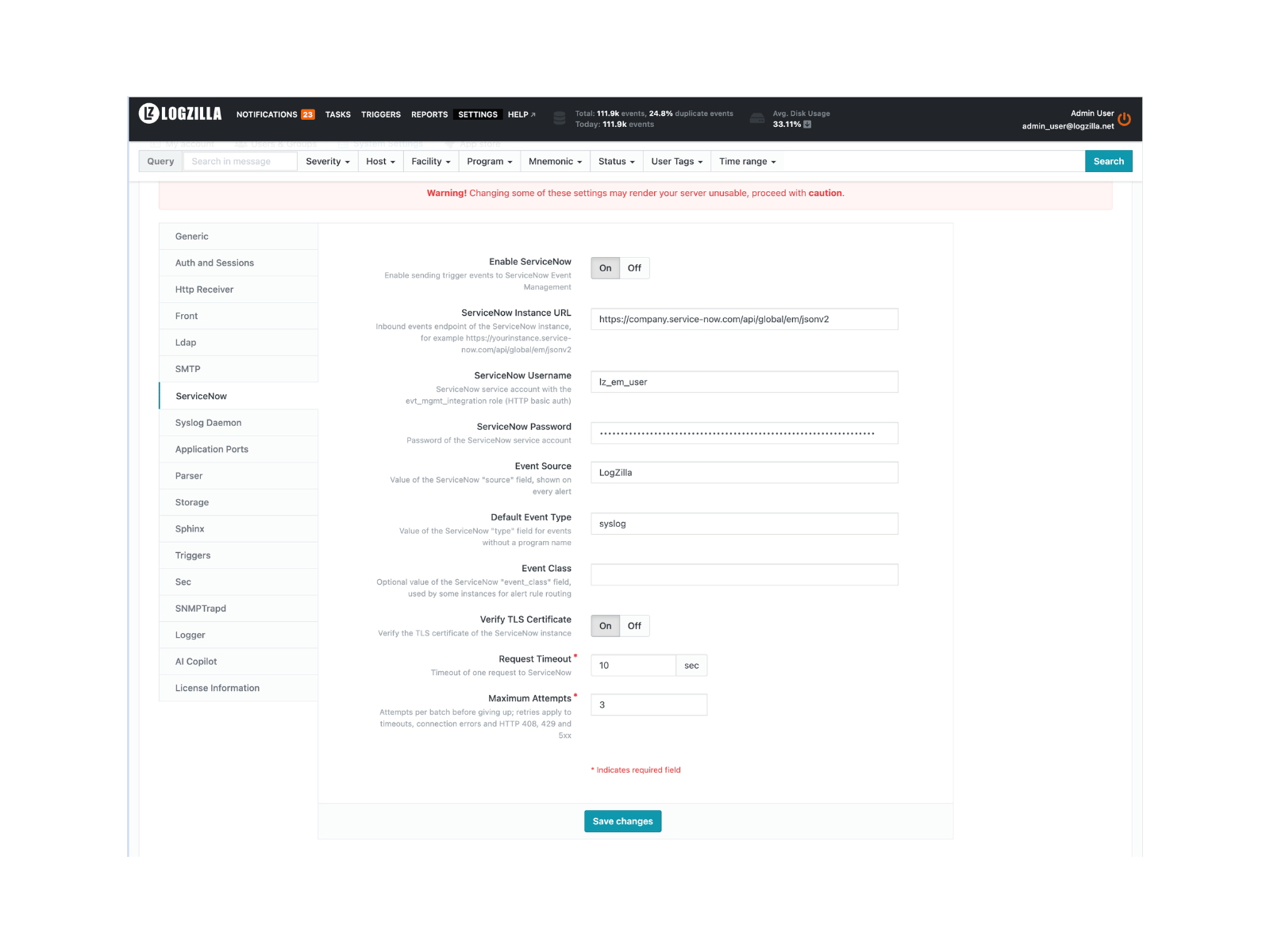
| Field | Description | Default |
|---|---|---|
| Enable ServiceNow | Turn the action on. Triggers with the box ticked while this is off report an error instead of sending | off |
| ServiceNow Instance URL | The instance, for example https://acme.service-now.com; the inbound events path /api/global/em/jsonv2 is added when the URL has no path | (empty) |
| ServiceNow Username | Service account with the evt_mgmt_integration role | (empty) |
| ServiceNow Password | Password of the service account, stored as a secret and never shown again | (empty) |
| Event Source | Value of the ServiceNow source field, shown on every alert | LogZilla |
| Default Event Type | ServiceNow type for events without a program name | syslog |
| Event Class | Optional ServiceNow event_class, used by some instances for alert rule routing | (empty) |
| Verify TLS Certificate | Verify the instance's TLS certificate; turn off only for test instances with self-signed certificates | on |
| Request Timeout | Timeout of one request, in seconds | 10 |
| Maximum Attempts | Attempts per batch, 1 to 10 | 3 |
| Retry Backoff | Base of the delay between attempts: 2, 4, 8 seconds (advanced) | 2 |
| Batch Size | Records per request, 1 to 500 (advanced) | 100 |
| Severity for Emergency (0) to Severity for Debug (7) | ServiceNow severity per syslog severity, see below (advanced) | see table |
The advanced fields appear when Show Advanced Settings is on in the Generic settings group.
The default interval between batches of one trigger is the ServiceNow batch period field of the Triggers settings group (60 seconds). A trigger can override it with its own period.
Command-line equivalent
The same values live in servicenow.yaml and can be set with the
logzilla settings command, for example when scripting an installation:
bashlogzilla settings update SERVICENOW_ENABLED=true \
SERVICENOW_INSTANCE_URL=https://acme.service-now.com/api/global/em/jsonv2 \
SERVICENOW_USERNAME=lz_em_user \
SERVICENOW_PASSWORD='<password generated in ServiceNow>'
The Server Settings page under Administration lists every key of the group with its default and range.
Severity mapping
LogZilla uses syslog severities (0 to 7). ServiceNow Event Management uses 0 to 5 (0 Clear, 1 Critical, 2 Major, 3 Minor, 4 Warning, 5 Info).
| Syslog | Name | ServiceNow EM | Field |
|---|---|---|---|
| 0 | Emergency | 1 (Critical) | Severity for Emergency (0) |
| 1 | Alert | 1 (Critical) | Severity for Alert (1) |
| 2 | Critical | 1 (Critical) | Severity for Critical (2) |
| 3 | Error | 2 (Major) | Severity for Error (3) |
| 4 | Warning | 3 (Minor) | Severity for Warning (4) |
| 5 | Notice | 4 (Warning) | Severity for Notice (5) |
| 6 | Info | 5 (Info) | Severity for Info (6) |
| 7 | Debug | 5 (Info) | Severity for Debug (7) |
Change a row by picking another value in the corresponding advanced
field, for example Severity for Warning (4) set to 2 promotes
syslog Warning from Minor to Major.
Enable it on a trigger
Open Triggers, create or edit a trigger, set the filter, and tick Send to ServiceNow in the actions list. The box is disabled with a link to the settings page until Enable ServiceNow is on.
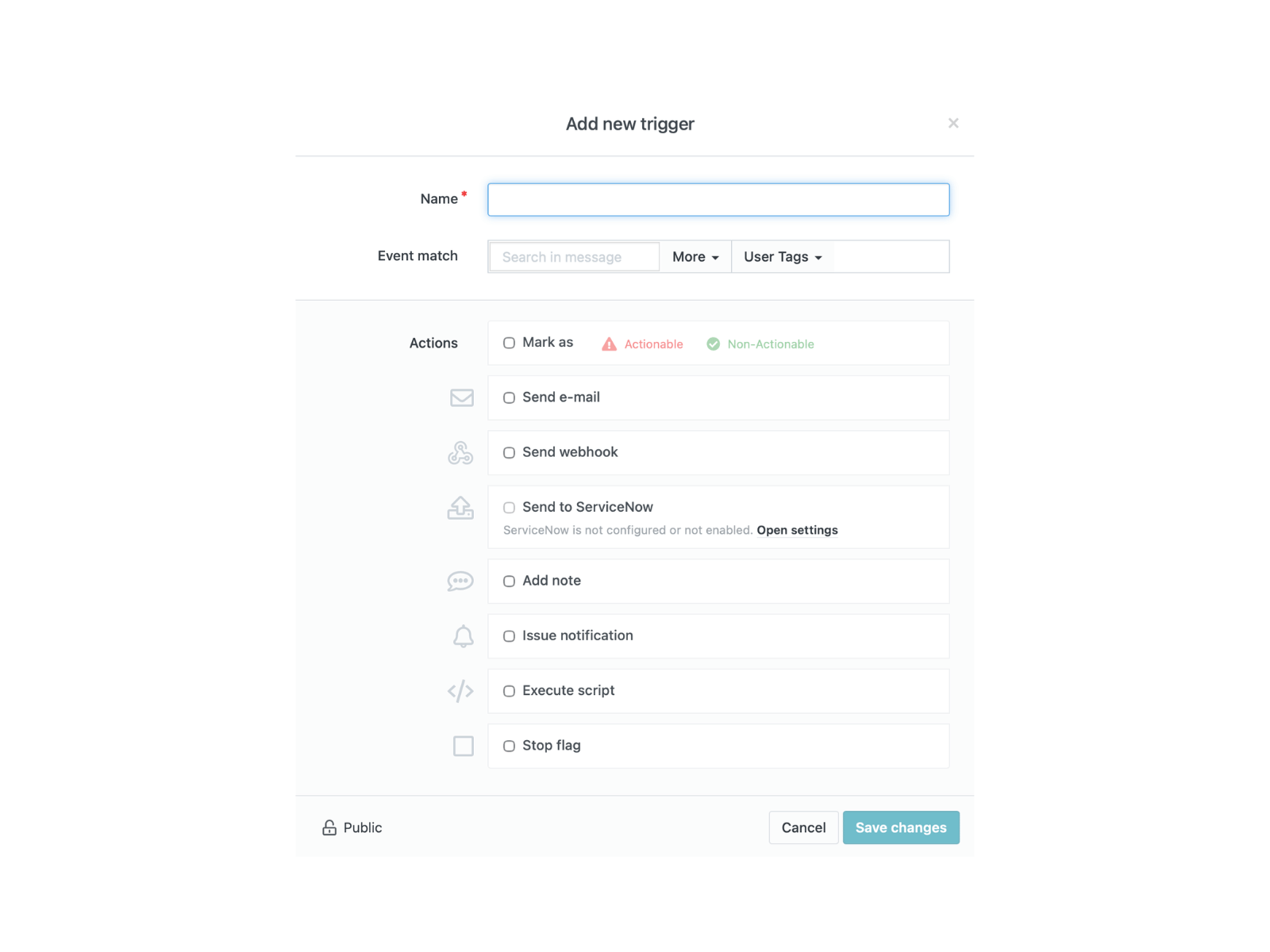
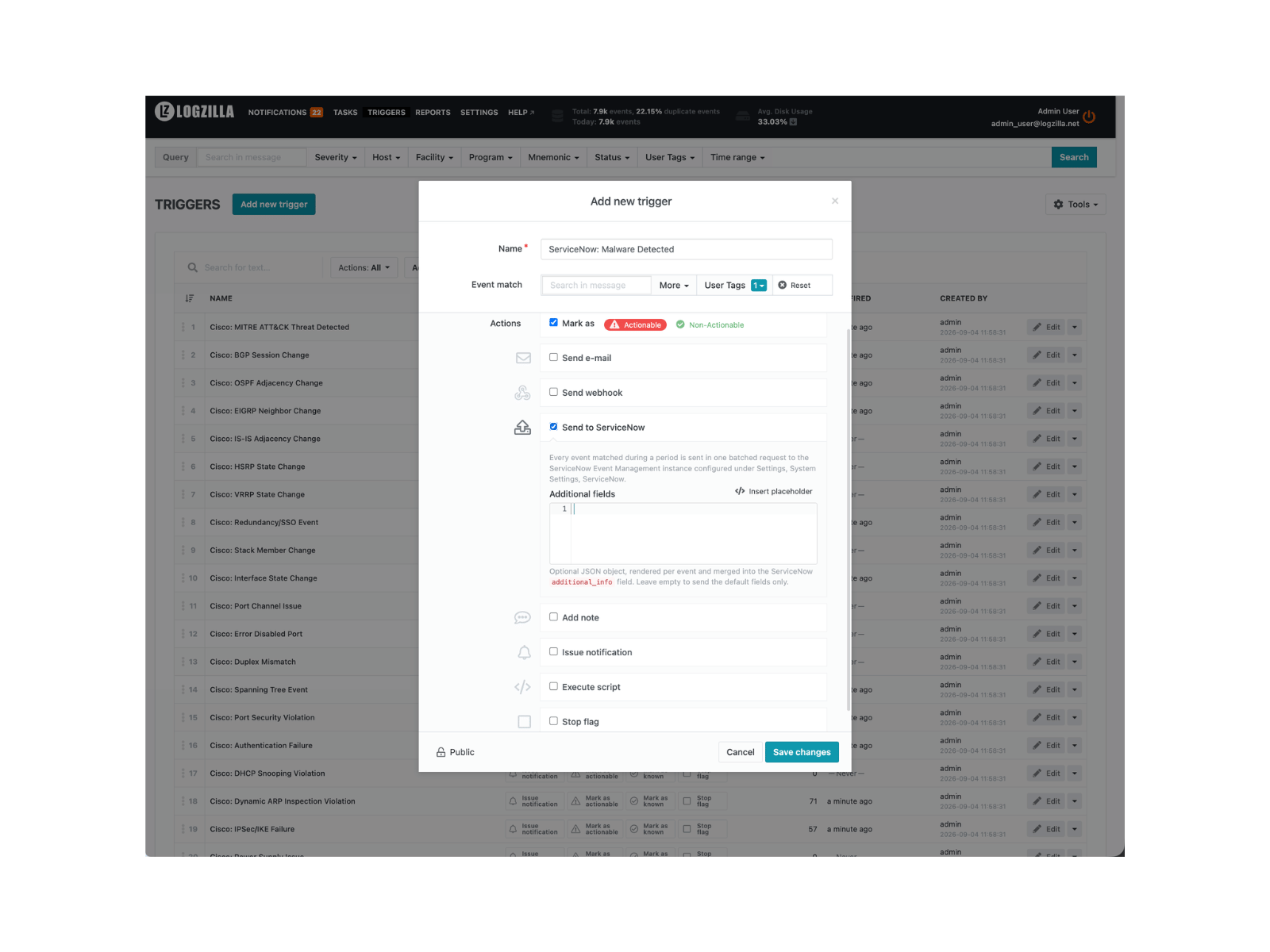
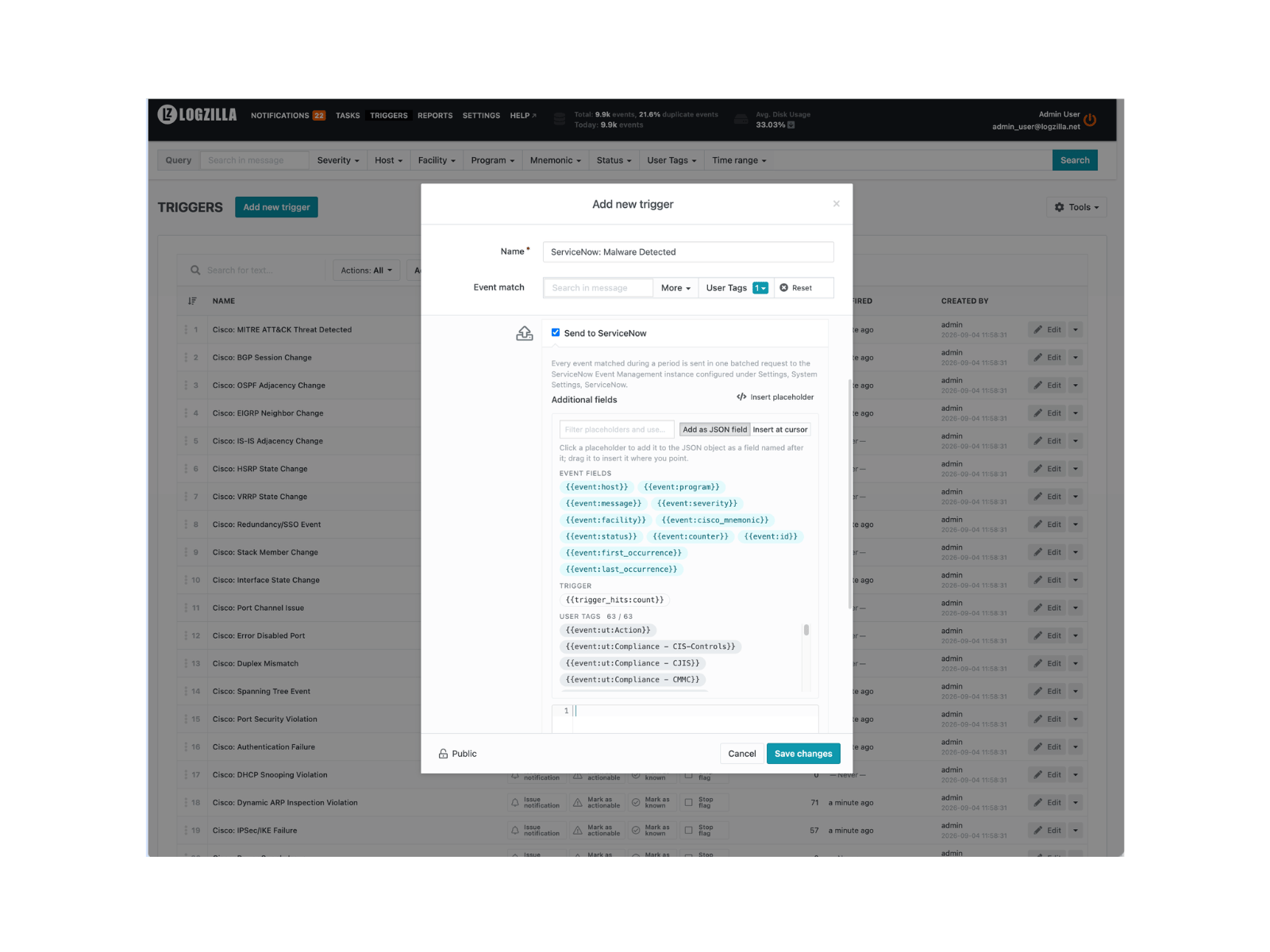
Once enabled, ticking the box opens the template editor:
Start narrow. A filter on the events that matter to the operations team,
such as status = 1 (events an upstream rule or trigger marked
actionable) or a vendor app's Event Class tag, produces alerts ServiceNow
users act on. A plain severity filter such as severity <= 3 forwards
every error from every device and has flooded ServiceNow instances on
large networks; if it is used at all, combine it with a host or program
filter.
Tick two more actions on a forwarding trigger:
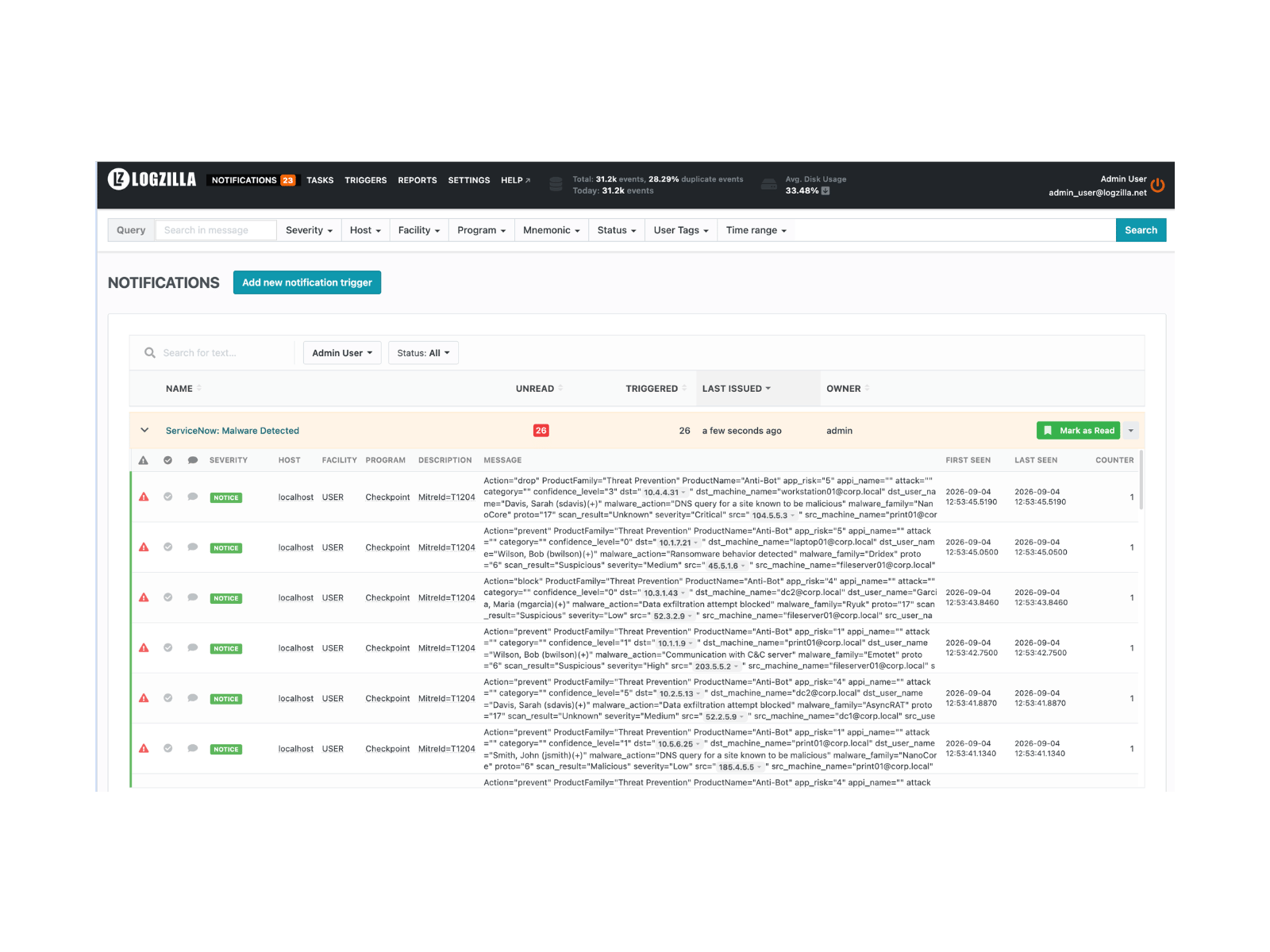
- Issue notification, so the Notifications page lists every event the trigger matched. That list is the record of what was sent to ServiceNow and the first place to look when an alert is missing there.
- Stop flag, so an event forwarded to ServiceNow is not also picked up by the triggers below it, which would raise a second notification or e-mail for the same event. Place the ServiceNow trigger above the triggers it should take precedence over; triggers are evaluated in list order.
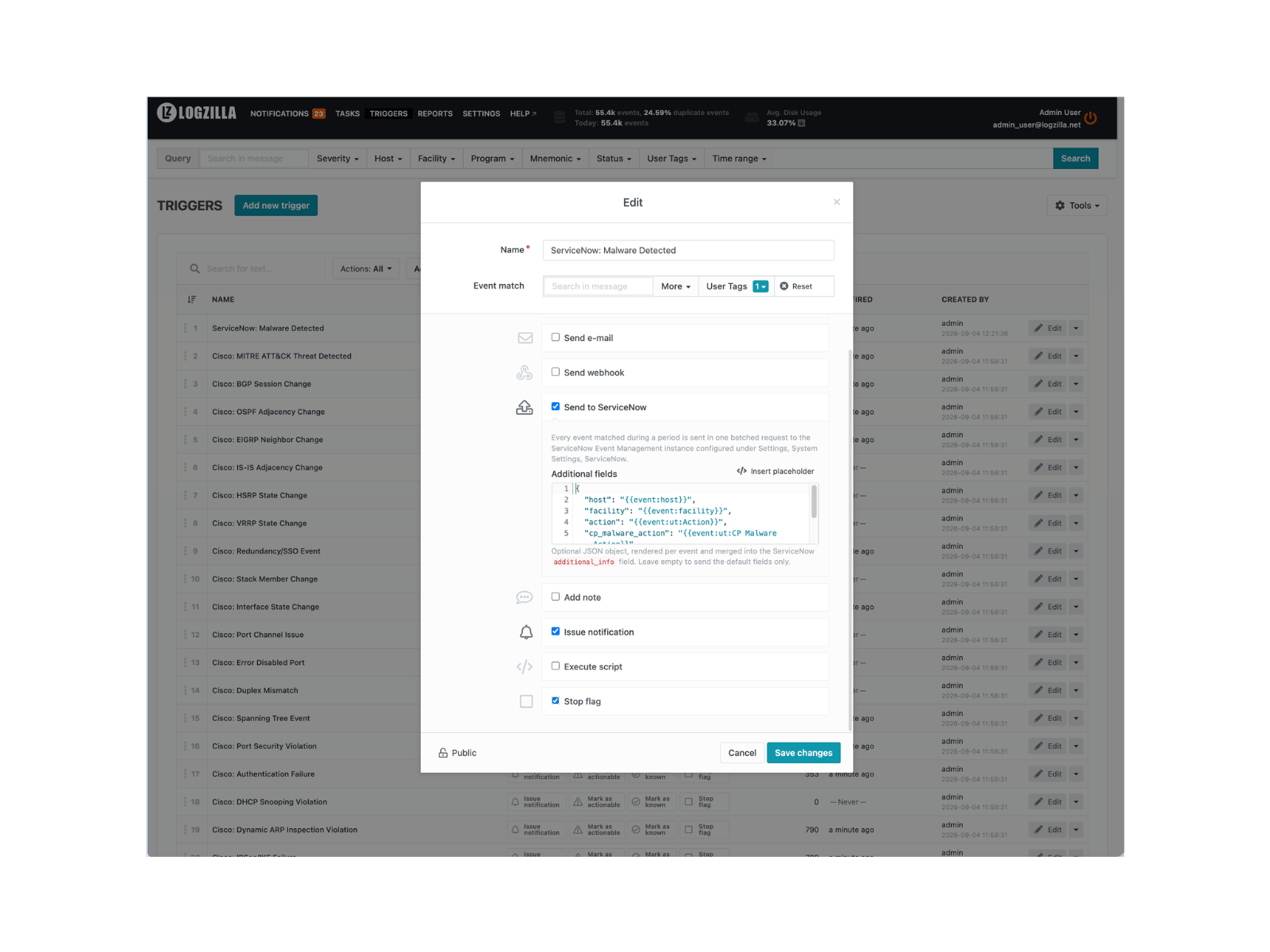
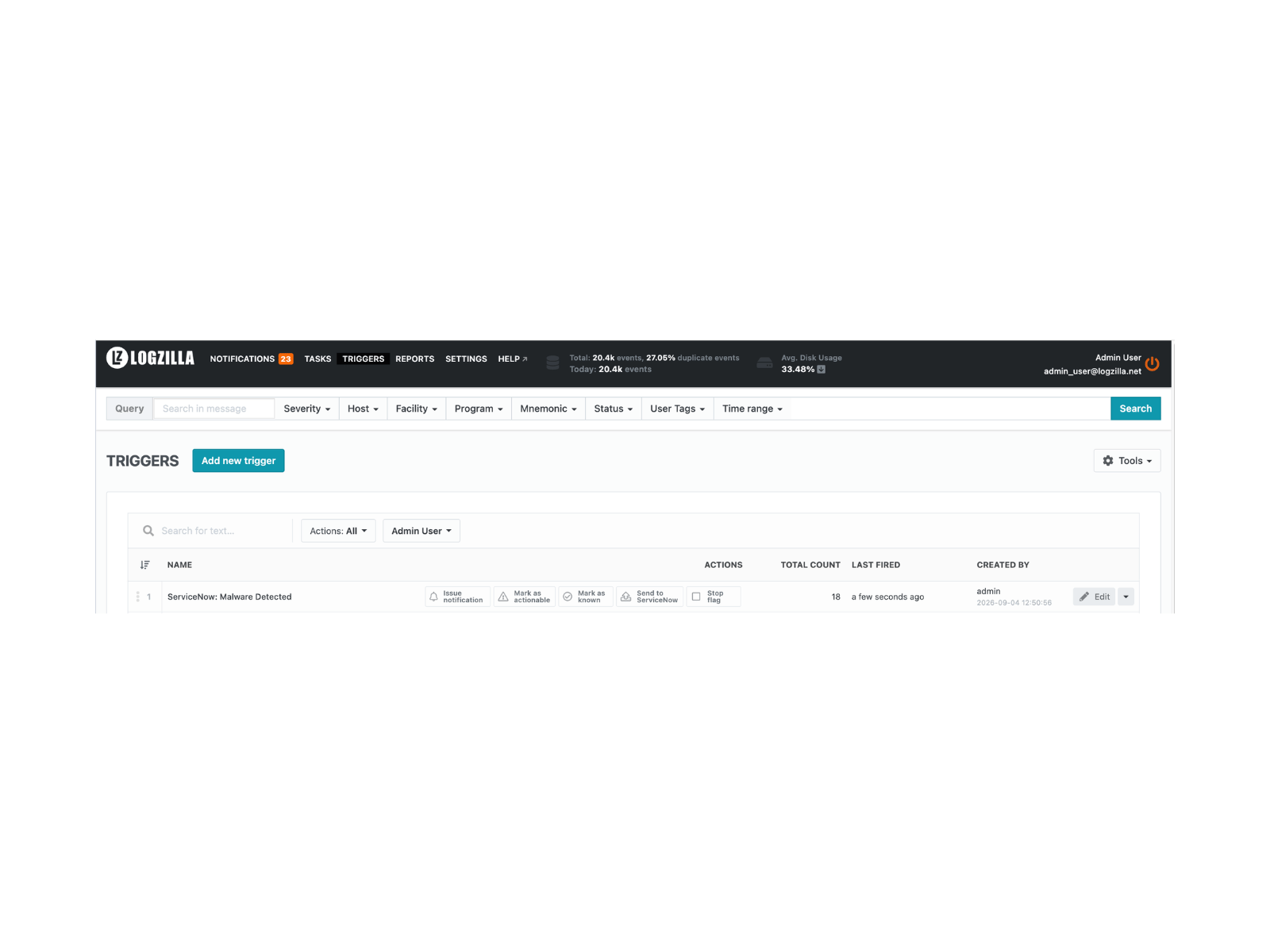
The trigger list shows the action next to the others:
Additional fields
The optional Additional fields template is a JSON object rendered per
event and merged into the record's additional_info. It uses the same
placeholders as
webhook templates:
{{event:host}}, {{event:program}}, {{event:message}},
{{event:severity}}, {{event:facility}}, {{event:cisco_mnemonic}},
{{event:ut:Tag Name}} for user tags and {{trigger_hits:count}}.
Insert placeholder above the editor opens a picker with the event
fields, the trigger placeholders and every user tag the system currently
knows, with a filter box. Clicking a pill adds a field named after the
placeholder to the JSON object ({{event:ut:Site}} becomes "site"), so
a template can be built without typing; Insert at cursor switches the
click to a plain insertion, and a pill can always be dragged into the
editor.
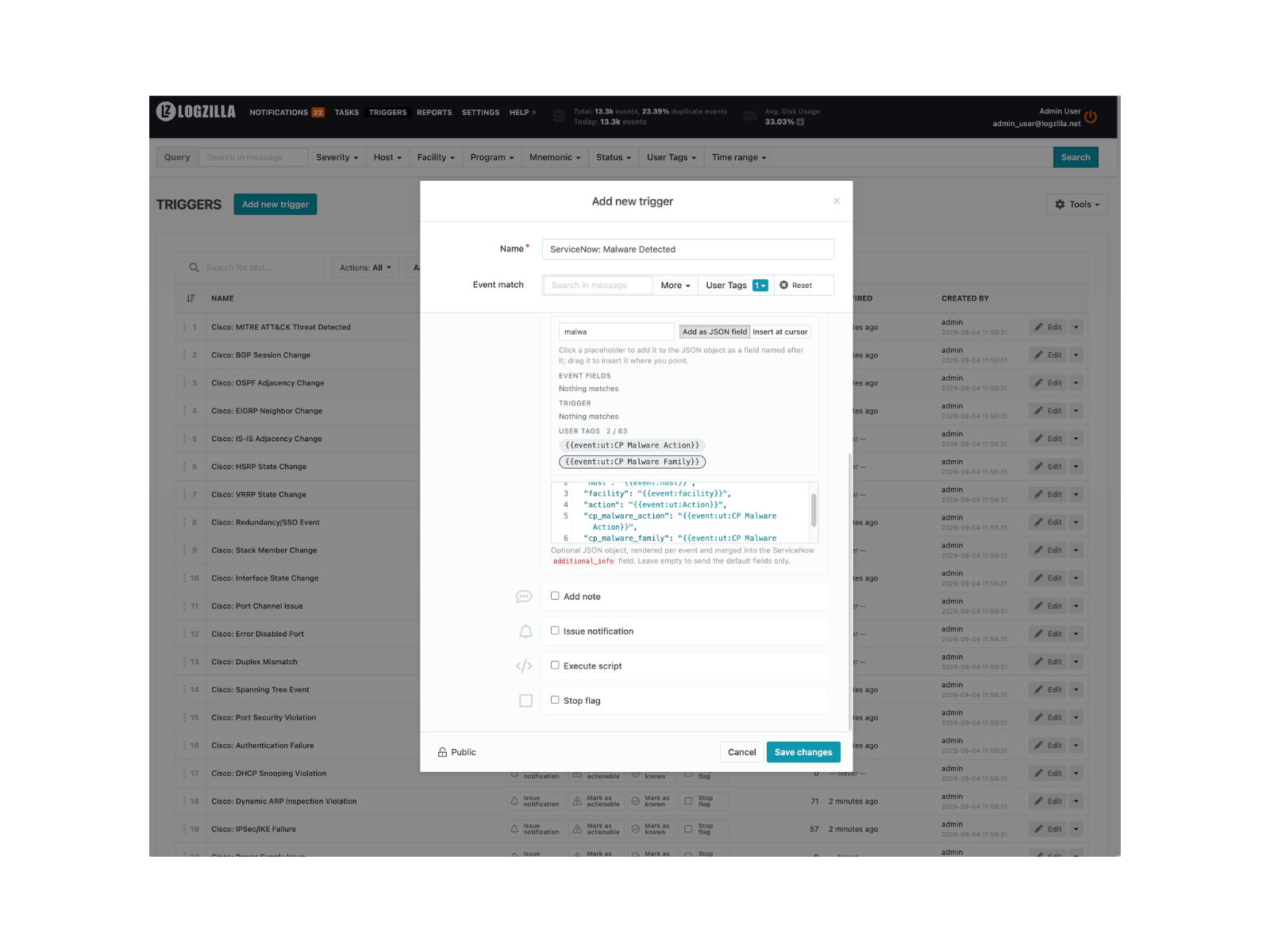
The filter box narrows every group at once, which is the quickest way to find a user tag among many:
json{
"site": "{{event:ut:Site}}",
"vendor": "{{event:ut:Vendor}}",
"assignment_group": "Network Operations"
}
Template keys win over the built-in additional_info keys of the same
name. A template that does not render to a JSON object for an event is
skipped for that event with a warning in the LogZilla log; the event is
still sent.
Record layout
Each event becomes one item of the records array posted to
/api/global/em/jsonv2:
| Field | Value |
|---|---|
source | the Event Source setting |
node | event host |
type | event program, or the Default Event Type setting |
resource | Cisco mnemonic, else program, else logzilla |
severity | mapped ServiceNow severity |
description | [SEVERITY] host program: message |
message_key | logzilla: plus a hash of host, program, mnemonic and resource, so repeats of the same condition roll into one alert; the trigger is not part of the key, two triggers matching the same event produce one alert |
time_of_event | first occurrence, UTC |
additional_info | JSON with logzilla_event_id, logzilla_trigger_id, logzilla_trigger_author, logzilla_trigger_hits, logzilla_event_counter, logzilla_first_occurrence, logzilla_last_occurrence, logzilla_facility, logzilla_severity_name, logzilla_program, logzilla_cisco_mnemonic, logzilla_user_tags, plus the template fields |
event_class | the Event Class setting, only when set |
Failure handling
| Situation | Behavior |
|---|---|
| Timeout, connection error, HTTP 408, 429 or 5xx | The undelivered chunks are retried after the Retry Backoff delay, then twice that, up to Maximum Attempts; chunks already accepted are not sent again |
| Retries exhausted | Internal ERROR event, program ServiceNow: "not delivered after N attempts" with the HTTP status or network error |
| HTTP 401, 403 or any other 4xx | No retry; internal ERROR event "rejected" with the status and the start of the response body |
| Box ticked while Enable ServiceNow is off | Internal ERROR event "disabled in settings", nothing sent |
| An event of the batch can no longer be read from storage | Skipped with a warning in the LogZilla log, the rest of the batch is sent |
To be alerted, keep the built-in Logzilla Errors trigger active or
create a trigger with filter program = ServiceNow and the wanted
notification action. While ServiceNow stays unreachable, every affected trigger
produces one such event per period after its retries.
ServiceNow setup
The integration needs three things on the ServiceNow instance: the
Event Management Connectors plugin (sn_em_connector), a service
account, and the evt_mgmt_integration role on that account. The steps
below were verified on the Australia, Yokohama and Zurich releases.
Install the Event Management Connectors plugin
-
Open Application Manager (in All, search
Application Manager) and search forsn_em_connector.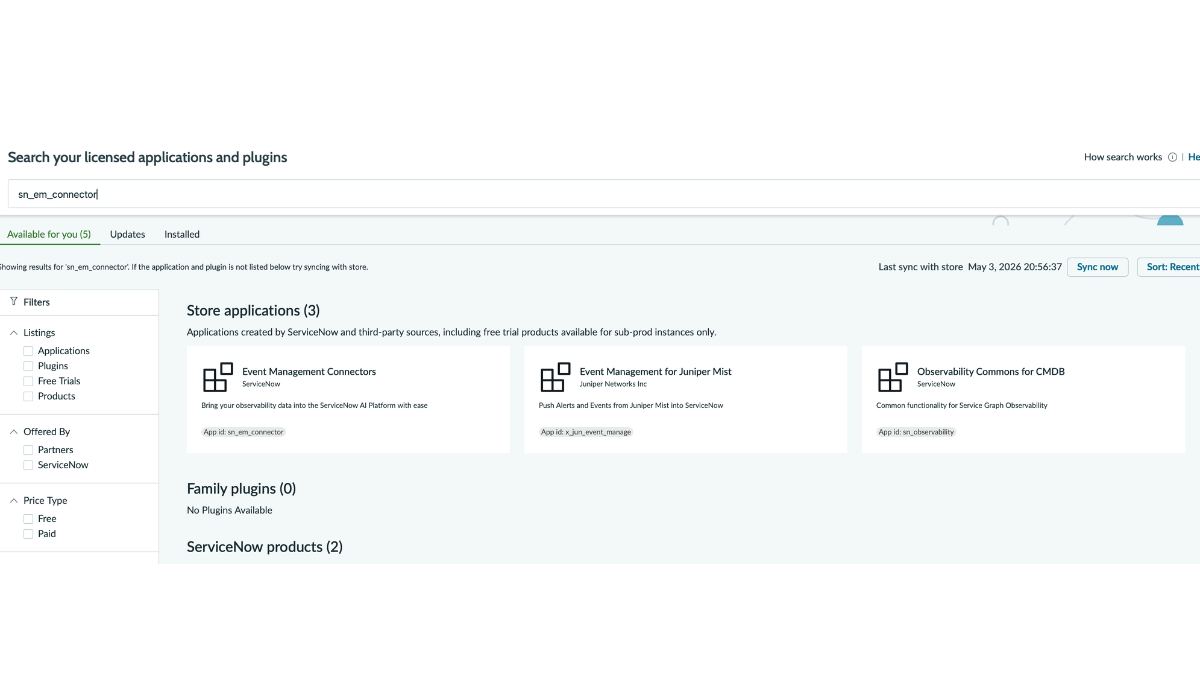
-
Open Event Management Connectors (App id
sn_em_connector).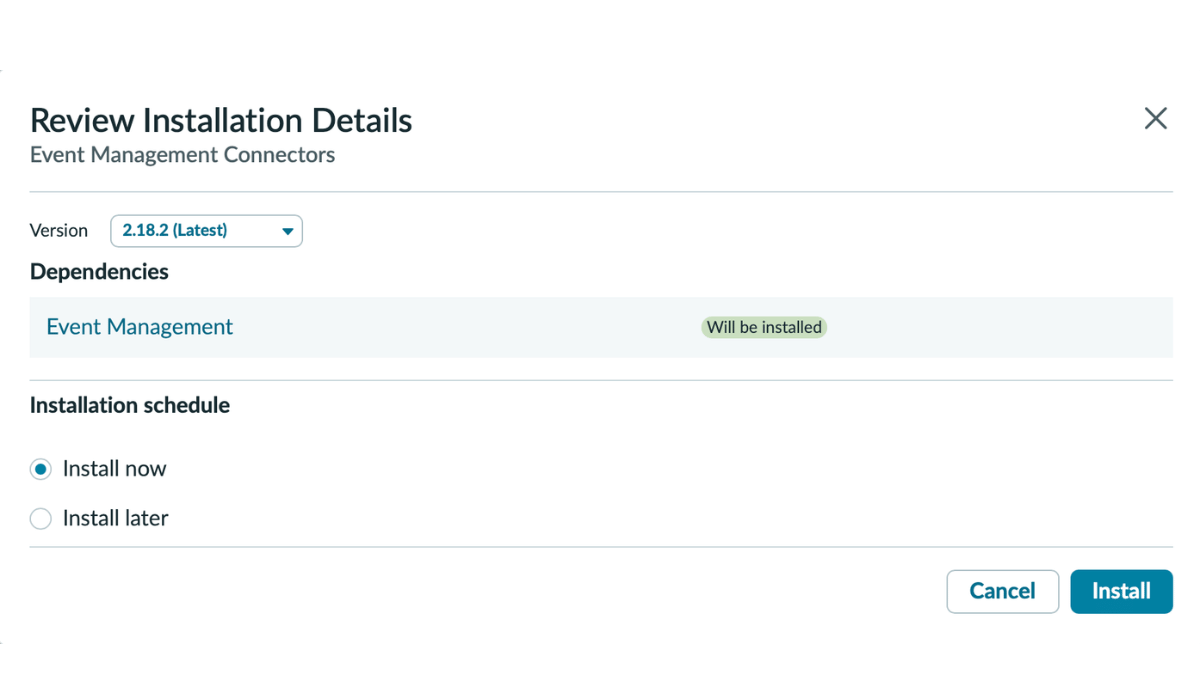
-
Click Install. The plugin pulls dependent packages; installation takes 5 to 15 minutes on a Personal Developer Instance, less on a production instance.
-
Wait for the installation to finish.
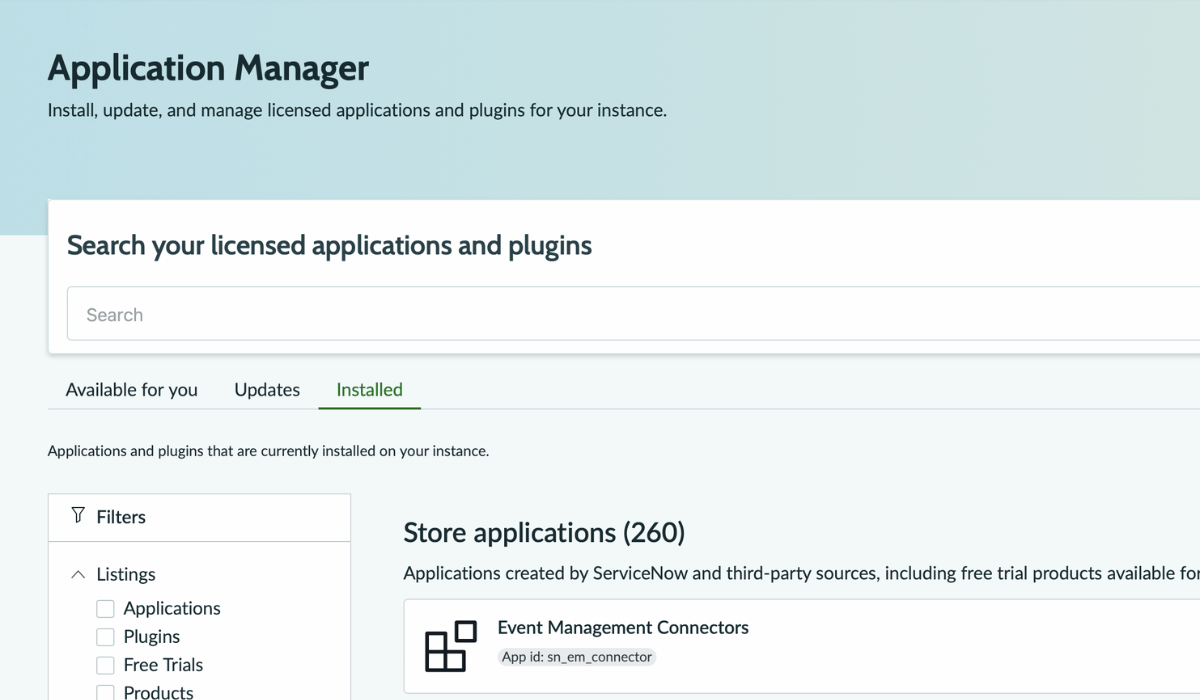
The plugin creates the evt_mgmt_integration role and exposes the
inbound REST endpoint at /api/global/em/jsonv2.
Create the integration service account
-
In All, search
Usersand open User Administration, Users. -
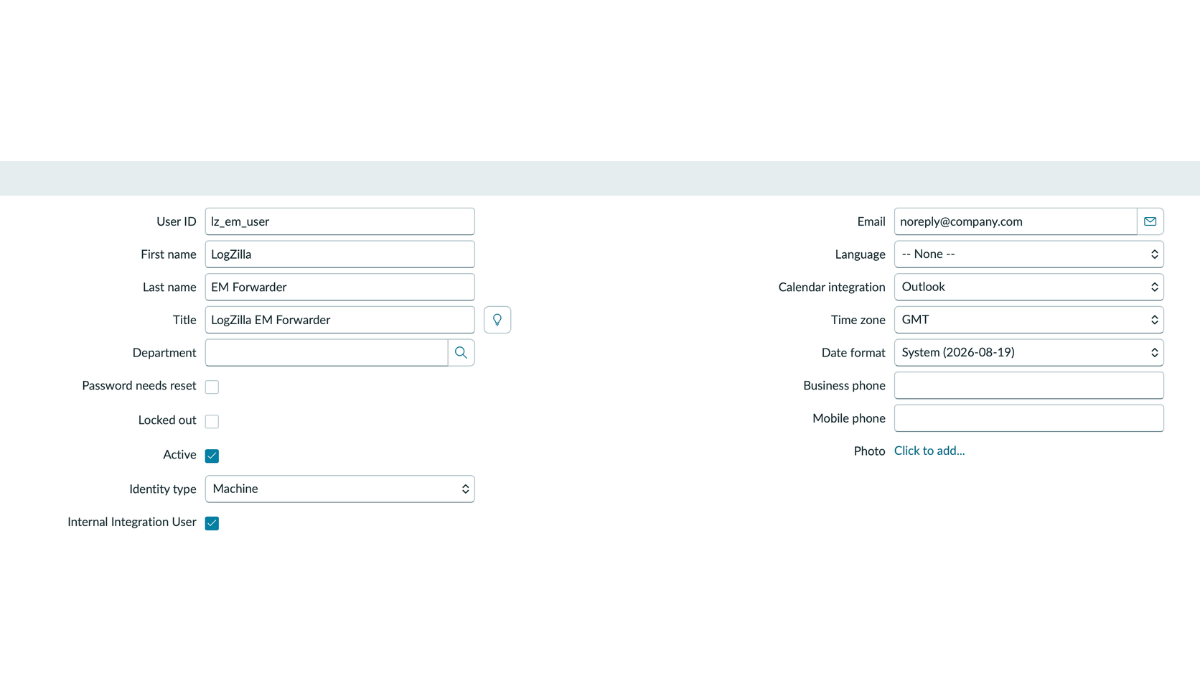
Click New and fill in:
- User ID:
lz_em_user(this becomes the ServiceNow Username). - First name and Last name: descriptive labels, for example
LogZillaandEM Forwarder. - Email: a do-not-reply address controlled by the administrator, or blank.
- Active: checked.
- Identity type:
Machine, and Internal Integration User checked (Australia, Yokohama, Zurich). Older releases show a single Web service access only checkbox instead; check it.
- User ID:
-
Click Update to save.
-
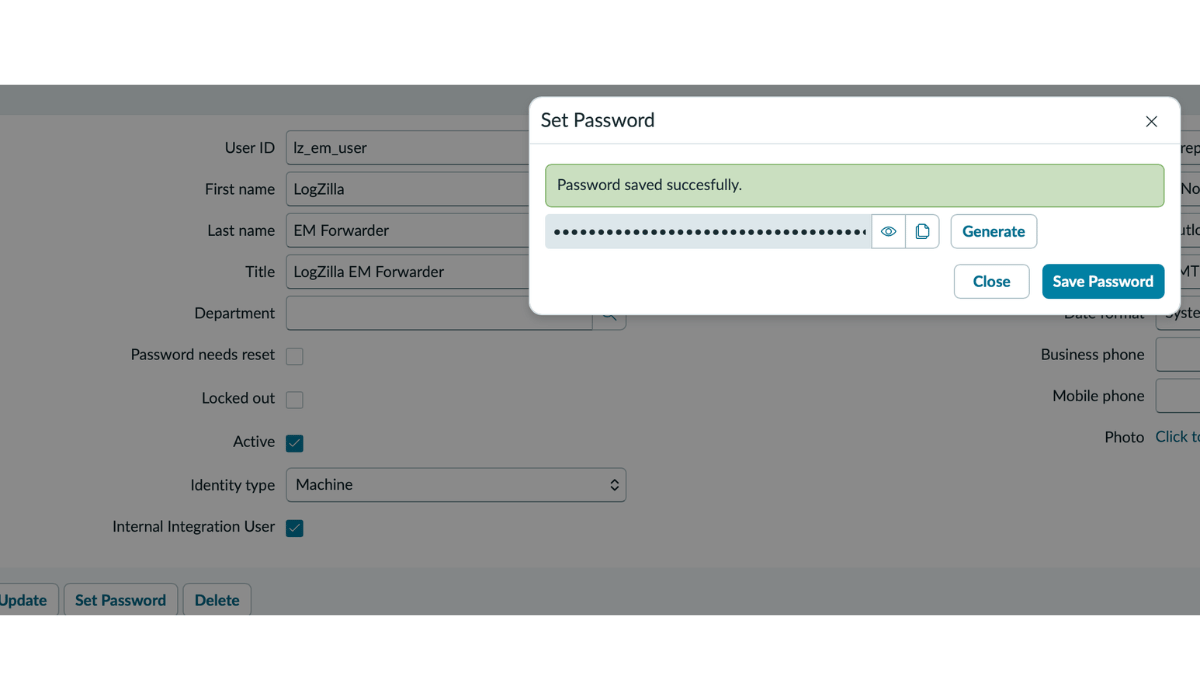
Reopen the user record, click Set Password, click Generate, then Save Password. Copy the generated value; it becomes the ServiceNow Password.
Grant the evt_mgmt_integration role
-
With the user record open, scroll to Related Lists and open the Roles tab.
-
Click Edit, search
evt_mgmt_integration, move it to the right side and click Save.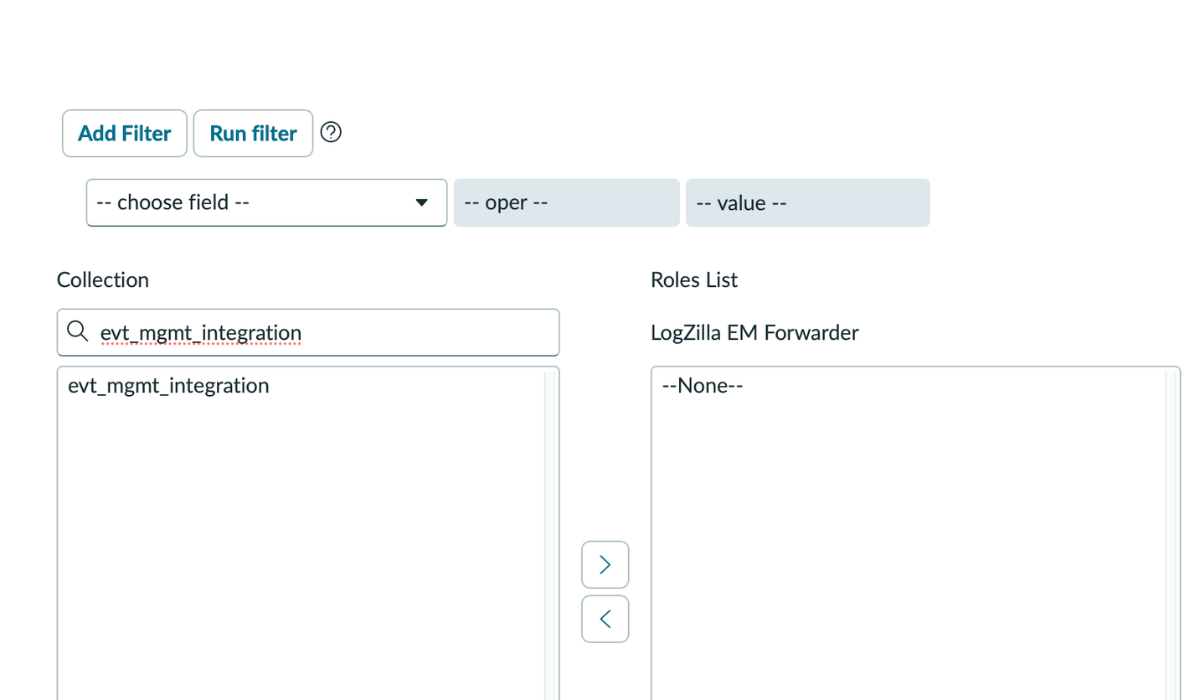
-
The Roles list shows
evt_mgmt_integration. An inheritedsnc_required_script_writer_permissionrole may appear as well; leave it in place.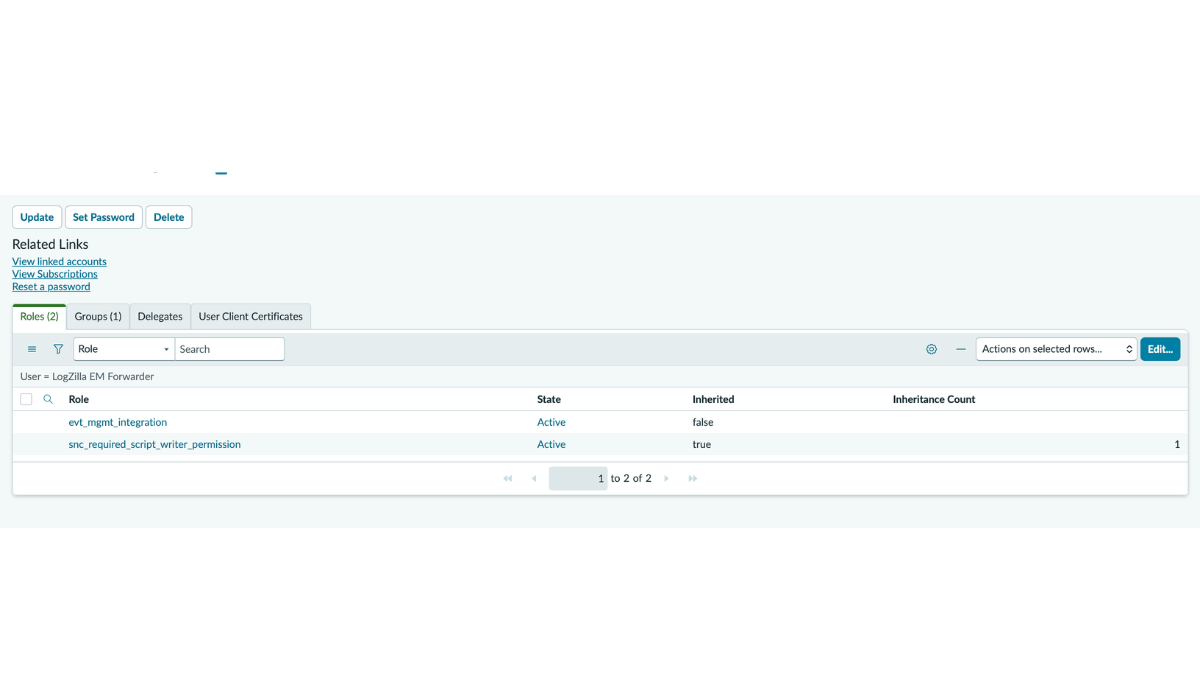
Network reachability
The LogZilla server must reach the ServiceNow instance over TCP/443 outbound. On-prem or private-network instances may need firewall rules.
Verify the ServiceNow side
Before enabling the action, confirm the ServiceNow side with one curl
from any host that reaches the instance. If it succeeds, later issues are
on the LogZilla side.
bashSN_PASSWORD='<paste the generated password>'
curl -sS -u "lz_em_user:${SN_PASSWORD}" \
-H 'Content-Type: application/json' \
-X POST 'https://yourinstance.service-now.com/api/global/em/jsonv2' \
-d '{
"records": [
{
"source": "LogZilla",
"node": "test-router-01",
"type": "BGP",
"resource": "BGP-5-ADJCHANGE",
"severity": 2,
"description": "test ServiceNow EM forwarding",
"message_key": "logzilla:smoketest-001",
"time_of_event": "'"$(date -u +'%Y-%m-%d %H:%M:%S')"'"
}
]
}'
A successful response looks like:
json{
"result": {
"Default Bulk Endpoint": "1 events were inserted"
}
}
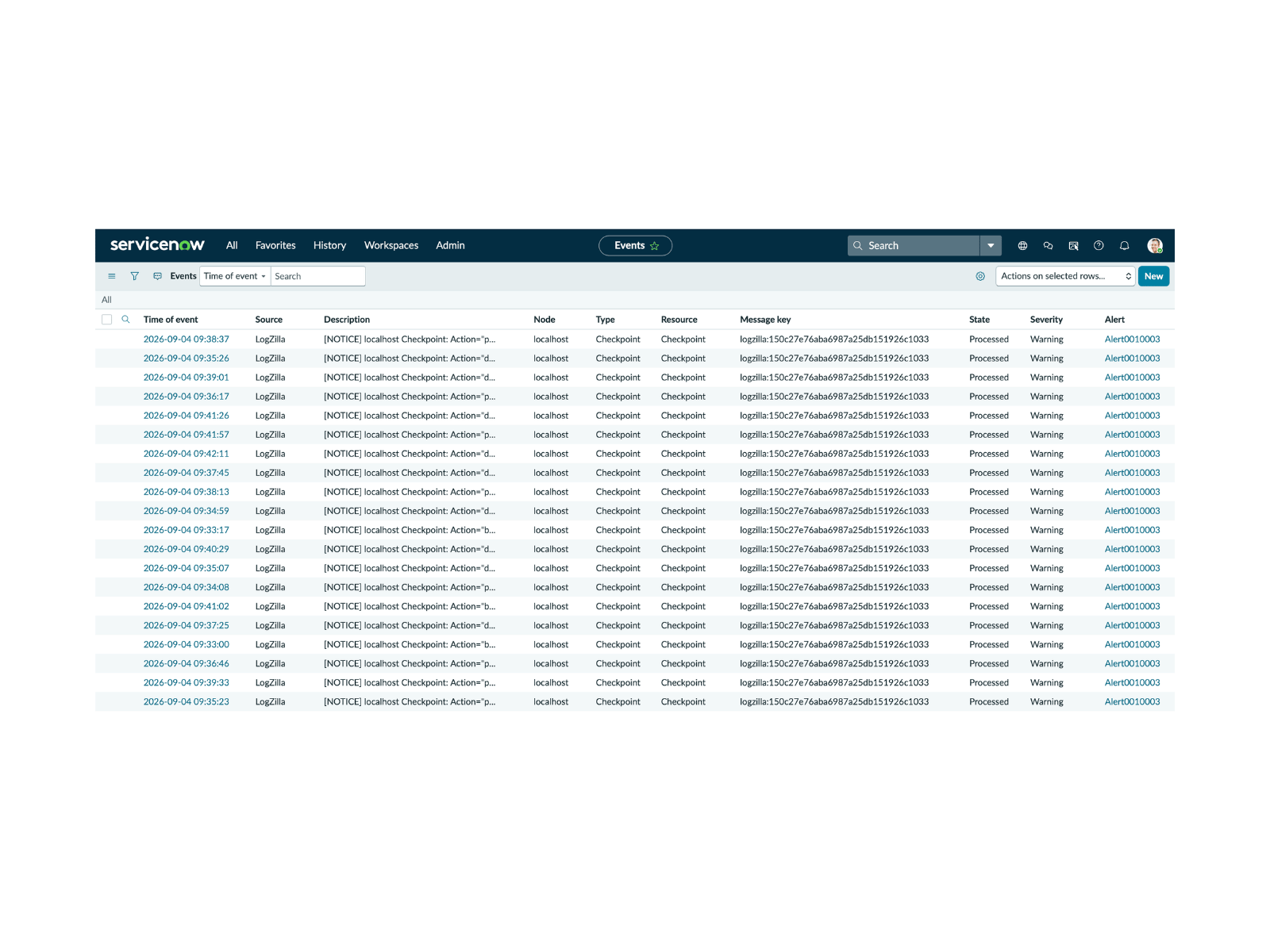
Then open Event Management, All Events and confirm a row with
Source = LogZilla, Node = test-router-01 and State = Processed.
Verification from LogZilla
-
Turn Enable ServiceNow on in the settings and tick Send to ServiceNow on a trigger with filter
severity <= 3. -
Send a test event to the LogZilla receiver, replacing
<logzilla-host>:bashlogger -d --rfc3164 -n <logzilla-host> -P 514 \ -t SN_TEST -p local0.error "ServiceNow EM forwarding test" -
Within one period the event appears in ServiceNow under Event Management, All Events with Source: LogZilla and State: Processed.
With Issue notification ticked, the Notifications page lists the events the trigger forwarded:
If nothing arrives, search LogZilla for program = ServiceNow internal
events, and check the LogZilla log of the Celery worker.
Troubleshooting
| Symptom | Likely cause | Resolution |
|---|---|---|
| Internal event "non-JSON body ... check the instance URL" | The URL points at a page, not at the events endpoint, so ServiceNow answered with HTML (a login page answers HTTP 200) | Set the instance URL to https://<instance>.service-now.com, or the full endpoint ending in /api/global/em/jsonv2 |
| Internal event "rejected: HTTP 404" | Event Management Connectors plugin not active, or the URL is wrong | Verify the plugin is installed; the URL must be the instance or end in /api/global/em/jsonv2 |
| Internal event "rejected: HTTP 401" | Wrong password, or the service account is locked out | Regenerate the password in ServiceNow (Set Password, Generate) and update ServiceNow Password |
| Internal event "rejected: HTTP 403" | Service account lacks the evt_mgmt_integration role, or a custom ACL blocks the endpoint | Confirm the role on the user's Roles list |
| Internal event "rejected: HTTP 405" | URL is wrong (the endpoint accepts only POST) | Confirm the URL is the instance or ends in /api/global/em/jsonv2 |
| Internal event "not delivered after N attempts: network error" | Network egress blocked or the instance is down | Check the firewall between the LogZilla server and the instance |
| Internal event "disabled in settings" | A trigger has the box ticked but Enable ServiceNow is off | Turn it on in the settings, or untick the trigger |
| Nothing happens and no internal event | The trigger did not fire | Check the trigger's hit count and filter in Triggers |
Upgrading from the ServiceNow Event Management app
Releases before v6.43 shipped a servicenow_em appstore app that forwarded
events through a script. On upgrade the app is uninstalled (with a backup
under the uninstalled apps directory), the values of its config.yaml
are carried into the ServiceNow settings, and its triggers become Send
to ServiceNow triggers, so forwarding continues without changes. The
app's Forwarding Health dashboard and its status events are gone;
delivery problems are reported as internal ServiceNow events instead.
Caveats
- One ServiceNow destination per LogZilla instance.
- Forwarding is one-way. "Clear" or "close" events are not sent when a previously forwarded condition resolves; LogZilla's orchestration rules can drive that lifecycle in ServiceNow when needed.
- Private certificate authorities must be trusted by the LogZilla containers' system CA store; there is no separate CA bundle setting.